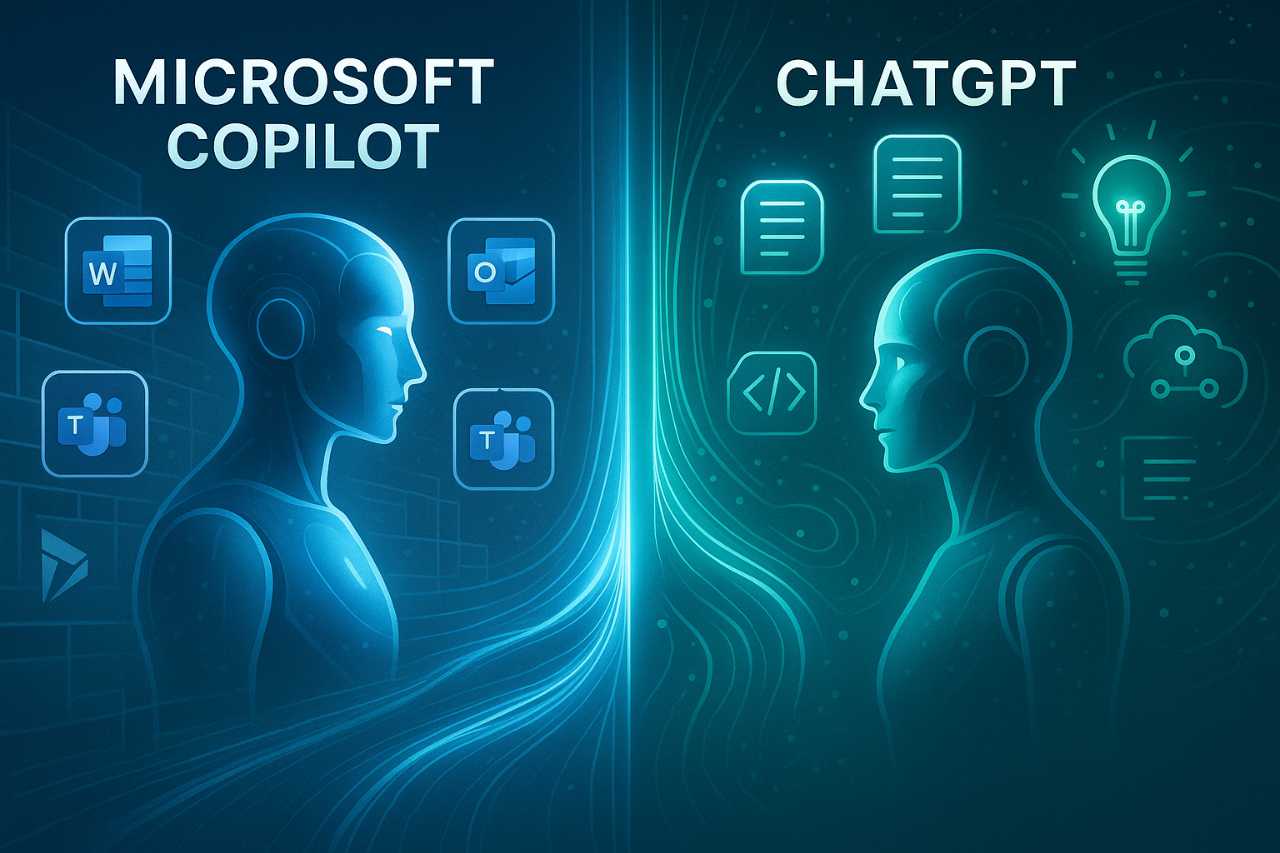
Membership organisations are increasingly exploring how AI agents and tools like Microsoft Copilot can help them deliver better member services without increasing pressure on already busy teams.
From answering common membership queries and supporting event registrations to helping staff find information faster, AI has firmly moved from experimentation to practical everyday use.
The organisations I’ve seen benefiting the most aren’t necessarily the ones investing the most in AI. They’re often the ones using AI agents and Copilot to solve simple, practical problems that affect members and staff every day.
Members Want Faster, More Personalised Experiences Than Ever Before
The way people interact with organisations has changed dramatically over the last decade or so. Whether they’re shopping online, booking travel, watching tv or managing their finances, people have become accustomed to fast, personalised experiences that are available at the touch of a button.
Membership organisations are no exception. Members increasingly expect quick answers, relevant comms and easy access to information without having to wait for office hours or search through multiple systems. Meeting those expectations consistently is challenging, particularly when membership teams are already balancing a wide range of responsibilities.
Why Member Expectations Continue To Rise
It’s a fact of life that the best customer experiences we encounter will shape our expectations for everywhere else. “If they can do it, why can’t you”.
Members won’t compare their experience with your organisation solely against similar membership bodies anymore. They’re comparing it against the speed and convenience they experience from banks, retailers, streaming services and countless other digital platforms.
As a result, expectations around communication, accessibility and responsiveness continue to rise. Members want relevant information delivered at the right time, through the right channels, without unnecessary delays or complexity.
Why Membership Teams Spend So Much Time Answering The Same Questions
Fat too many membership teams are devoting a significant amount of time to answering questions they’ve answered dozens, if not hundreds, of times before.
Questions about membership renewals, event registrations, CPD requirements, invoices, account access and member benefits often arrive through email, phone calls, contact forms and social media. Whilst each query may only take a few minutes to resolve, the cumulative impact consumes a substantial amount of staff time.
This is one of the reasons many organisations are exploring AI agents such as Microsoft Copilot. By handling routine enquiries automatically, teams can spend more time focusing on activities that deliver greater value to members.
Why Support And Administration Often Compete For Attention
Behind every successful membership organisation sits a considerable amount of administration. Events need organising, communications need creating, reports need producing and membership data needs maintaining.
The challenge is that these responsibilities rarely slow down when member enquiries increase. Teams often find themselves balancing proactive activities that help grow and engage their membership base against reactive tasks that demand immediate attention.
Finding ways to reduce repetitive administrative work without compromising member experience is becoming a priority for many membership organisations. That’s where AI agents and tools like Copilot are beginning to play an increasingly important role.
What AI Agents Like Microsoft Copilot Actually Mean For Membership Organisations
AI has moved beyond experimentation. Membership organisations now want practical ways to improve member services, streamline administration and make better use of the information they already hold.
That’s why AI agents and Microsoft Copilot are gaining traction across the sector. They don’t require organisations to reinvent how they work. Instead, they help members find answers faster, give staff easier access to information and reduce the time spent on repetitive tasks.
The organisations seeing the greatest value aren’t chasing the latest technology trend.
They’re applying AI to everyday challenges that affect members and staff alike.
What Is An AI Agent?
An AI agent takes a request, retrieves the information it needs and helps complete a task.
For membership organisations, that could mean helping a member register for an event, answering questions about membership benefits, guiding someone through a renewal process or providing information about CPD requirements. Internally, AI agents can help staff locate policies, summarise meetings, retrieve information from multiple systems and answer internal questions.
The goal isn’t simply to provide information. The goal is to help people achieve an outcome quickly and efficiently.
How Microsoft Copilot Fits Into The Bigger Picture
Microsoft Copilot gives membership organisations a practical way to introduce AI into everyday work.
Rather than asking teams to adopt entirely new systems, Copilot works alongside familiar Microsoft tools. Staff can draft communications in Outlook, summarise meetings in Teams, analyse information in Excel and retrieve knowledge from across Microsoft 365 using natural language prompts.
That approach allows organisations to start solving real business challenges immediately whilst building confidence and experience with AI over time.
Why AI Agents Are Different From Traditional Chatbots
Traditional chatbots follow predefined pathways. They present a list of options, guide users through scripted conversations and perform well when people ask expected questions.
Members rarely follow a script.
They ask questions in different ways, combine multiple requests and often need information that sits across several systems or documents. AI agents handle those conversations far more effectively because they understand context, interpret natural language and retrieve information dynamically.
For membership organisations, that creates a better experience for members and reduces the volume of repetitive enquiries arriving through email, contact forms and phone calls. Instead of repeatedly answering the same questions, teams can focus their attention where human expertise delivers the greatest value.
Membership Organisations Are Supporting Members Around The Clock With AI Agents
Members don’t stop needing support when the working day ends. Questions arrive in the evening, over weekends and during busy periods when teams already have plenty competing for their attention.
AI agents give membership organisations another way to support members without requiring somebody to sit behind a screen 24 hours a day.
By answering routine questions, guiding members to relevant information and helping people complete common tasks, AI agents can improve accessibility whilst reducing pressure on internal teams.
- Answering Common Membership Questions – Most member enquiries will follow familiar patterns. Members want to know how to renew, where to find an invoice, how to access member benefits or whether they’re eligible for a particular event or programme. AI agents can answer many of these questions instantly, helping members get the information they need without waiting for a response from the membership team.
- Helping Members With Renewals And Payments – Membership renewals often generate a surge in enquiries. Members may need help updating details, understanding membership levels, accessing invoices or confirming payment status. Rather than directing every question through email or phone support, AI agents can guide members through the process and provide answers based on the information available to them.
- Supporting Event And CPD Enquiries – Events, webinars and CPD programmes generate a steady stream of questions throughout the year. Members want to know how to register, where events are taking place, what sessions are available and whether activities count towards CPD requirements. AI agents can provide immediate answers and help members find relevant information without searching through websites, emails or event portals.
- Providing Multilingual Support – Many membership organisations support members across multiple regions, countries and languages. AI agents can communicate in a wide range of languages, making information more accessible and helping organisations provide a more consistent experience for members regardless of where they’re located. For organisations with limited internal language capabilities, this can significantly expand the support they provide without increasing headcount.
AI Agents Are Reducing Administrative Burden For Membership Teams
Member-facing support often receives the most attention, but many organisations achieve their earliest wins behind the scenes. Membership teams spend a significant amount of time creating communications, searching for information, producing reports and managing routine administrative tasks.
AI agents and Microsoft Copilot don’t remove the need for people. They remove much of the repetitive work that prevents people from focusing on higher-value activities. As a result, teams can spend less time managing processes and more time engaging with members.
Drafting Member Communications Faster
Membership teams create a constant stream of communications. Renewal reminders, event invitations, member updates, newsletters and follow-up emails all require time and attention.
Microsoft Copilot can help draft, refine and personalise these communications, reducing the time spent staring at a blank page whilst maintaining human oversight and approval.
Summarising Meetings And Actions
Meetings generate valuable discussions, decisions and actions, but capturing that information often falls to somebody taking notes and producing summaries afterwards.
AI tools can automatically summarise meetings, identify actions and highlight key decisions, helping teams spend less time documenting conversations and more time acting on them.
Finding Information Hidden Across Documents
Many membership organisations store valuable knowledge across multiple systems, shared drives, emails and documents.
Finding the right information can sometimes take longer than answering the original question. AI agents can retrieve information from multiple sources, helping staff access policies, procedures, event information and member guidance more quickly.
Producing Reports And Board Papers More Efficiently
Reporting plays an important role in most membership organisations. Teams regularly prepare updates for leadership teams, boards, committees and stakeholders.
AI can help summarise information, identify trends and create first drafts of reports, reducing the administrative effort required whilst allowing staff to focus on analysis, recommendations and decision-making.
The Most Successful AI Projects Solve Specific Problems
The organisations seeing the greatest value from AI rarely start with the technology itself. They start with a challenge that affects members, staff or day-to-day operations and look for practical ways to improve it.
That approach often delivers better results than trying to implement AI everywhere at once. It creates clear outcomes, builds confidence within the organisation and helps teams identify where AI agents and tools like Microsoft Copilot can provide the greatest value.
Improving Member Self-Service
Members increasingly expect to find information and complete tasks when it’s convenient for them. They don’t necessarily want to wait for office hours to renew a membership, register for an event or find details about their benefits.
AI agents help organisations meet those expectations by providing instant access to information and guidance. Rather than searching through websites, downloading documents or waiting for a response to an email, members can simply ask a question and receive a relevant answer.
For membership organisations, that improves the member experience whilst reducing the volume of routine enquiries reaching internal teams.
Making Membership Knowledge Easier To Access
Many membership organisations have accumulated years of valuable knowledge. Policies, procedures, member guidance, event information and organisational expertise often exist across multiple systems, documents and repositories.
Finding the right information can sometimes become a challenge in its own right.
AI agents and Microsoft Copilot help unlock that knowledge by making it easier to search, retrieve and surface relevant information. Instead of relying on individuals to know where information lives, organisations can make that knowledge more accessible to both staff and members.
Supporting Events And Professional Development
Events, webinars, conferences and professional development programmes sit at the heart of many membership organisations.
They also generate a significant number of enquiries. Members want information about registration, locations, agendas, speakers, CPD eligibility and event logistics. Staff often spend considerable time answering questions that have already been answered elsewhere.
AI agents can help members access that information quickly whilst reducing the administrative effort required to support every enquiry manually. As event programmes grow, that ability becomes increasingly valuable.
Creating More Personalised Member Experiences
Not every member wants the same information, attends the same events or engages with an organisation in the same way.
AI helps membership organisations move beyond broad, one-size-fits-all communications by making it easier to deliver more relevant experiences. That could include recommending events, highlighting relevant content, suggesting professional development opportunities or tailoring communications based on a member’s interests and engagement history.
The goal isn’t simply to automate communication. The goal is to make interactions more relevant, useful and valuable for each member.
What Good AI Adoption Looks Like In Membership Organisations
The most successful AI projects don’t start with a shopping list of tools. They start with a clear understanding of the challenges an organisation wants to solve.
Membership organisations that achieve the greatest value from AI focus on practical outcomes, build on existing strengths and take a measured approach to adoption. Rather than trying to transform everything at once, they identify opportunities where AI can improve member services, reduce administrative effort or help teams work more effectively.
Start With A Problem, Not A Platform
Organisations often ask which AI platform they should choose before they’ve identified what they want to achieve.
A more effective approach starts with the challenge itself. Perhaps members struggle to find information, event enquiries consume too much staff time, or teams spend hours searching for knowledge stored across multiple systems. Once the problem is clear, selecting the right technology becomes significantly easier.
The strongest AI projects solve real business challenges rather than introducing technology for its own sake.
Focus On Member And Staff Experience
Successful AI adoption benefits both members and employees.
Members want quick access to information, personalised experiences and responsive support. Staff want simpler processes, faster access to knowledge and fewer repetitive administrative tasks. The most effective AI initiatives improve both experiences simultaneously.
When organisations focus on creating value for the people who use their services and systems every day, adoption tends to follow naturally.
Build On Existing Systems And Knowledge
Many membership organisations already possess the information, expertise and systems needed to deliver meaningful AI outcomes.
Tools like Microsoft Copilot can help organisations unlock more value from existing investments rather than replacing them. Knowledge stored within Microsoft 365, membership platforms, documents and internal systems often becomes far more accessible when people can interact with it using natural language.
Building on existing foundations often delivers faster results whilst reducing complexity and risk.
Treat AI As An Ongoing Capability, Not A One-Off Project
AI continues to evolve at a remarkable pace. Organisations that view adoption as a single project risk falling behind as new opportunities emerge.
The most successful membership organisations treat AI as an ongoing capability. They start with manageable use cases, learn from early successes and gradually expand adoption as confidence grows.
That approach helps organisations realise value more quickly whilst creating a strong foundation for future innovation.
Final Thoughts
AI agents and tools like Microsoft Copilot are already helping membership organisations improve member services, reduce administrative burden and make better use of the knowledge they hold.
The organisations seeing the greatest success aren’t chasing the latest trend or attempting wholesale transformation. They’re solving practical problems, improving everyday experiences and creating more time for staff to focus on activities that deliver value to members.
As member expectations continue to evolve, AI agents will play an increasingly important role in helping membership organisations provide faster, more personalised and more accessible services. The opportunity isn’t simply to work more efficiently. It’s to create better experiences for both members and the teams who support them every day.