More reliable financial operations, better forecasting, less manual work, improved decision making, stronger compliance, enhanced performance as growth demands increase.

Plan your move from Microsoft Dynamics GP to Business Central with clear options, practical steps, and expert guidance on choosing the right approach for your business.
Contents
Microsoft Dynamics GP is Reaching the End of the Road
Why Business Central Is The Natural Next Step For GP Users
You’ve Two Options For Moving From GP To Business Central
GP to Business Central Migration: How It Works in Practice
Should We Just Go For A Clean Start?
Migration vs Fresh Start: How To Decide What’s Right For You
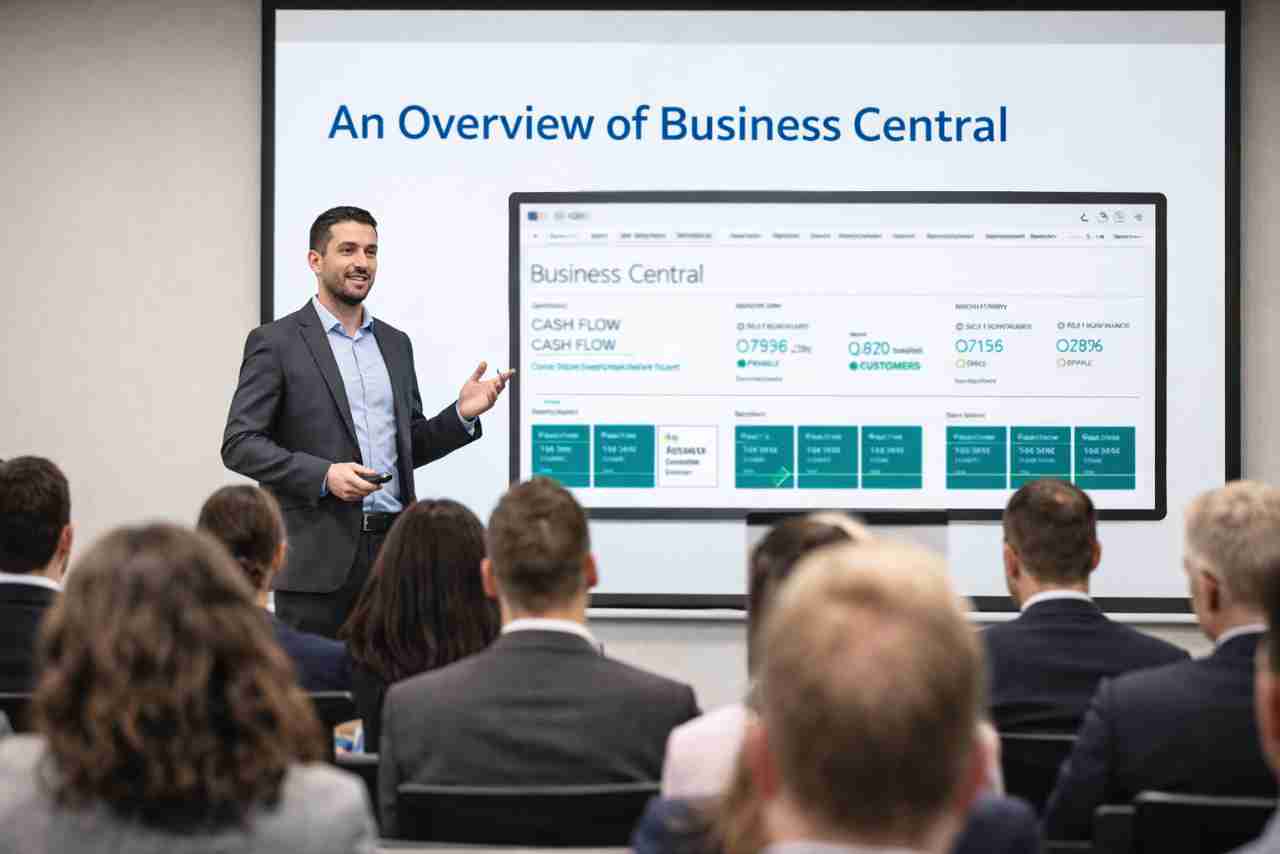
A Quick Overview Of Dynamics 365 Business Central’s Main Features and Benefits

Why The Best Consultancies Don’t Just Say Yes
If you’re still using Microsoft Dynamics GP, you’re probably already starting to feel the pressure.
Support timelines are getting closer. The platform isn’t moving forward in the same way it once did. And whether it’s reporting, integrations, or just keeping things running smoothly day to day, it’s getting harder to ignore the limits.
At the same time, you’ll have likely heard the conversation shifting toward Microsoft Dynamics 365 Business Central. For many organisations, it’s the obvious next step. It keeps you within the Microsoft ecosystem, builds on familiar foundations, and opens the door to more modern, connected ways of working.
But knowing where you’re heading and knowing how to get there are two very different things.
Do you take what you’ve got in GP and move it across? Or do you treat this as a chance to start again and build something cleaner?
That’s where most teams get stuck.
I’ll be walking you through what moving from GP to Business Central actually looks like in practice, the two main approaches you can take, and how to decide which one makes sense for your business.
If you’re still running Microsoft Dynamics GP, then this won’t come as a surprise.
Microsoft has been clear about the direction of travel for some time. GP isn’t where investment is going. New features are limited, and the long-term roadmap is focused elsewhere.
That doesn’t mean GP suddenly stops working. But it does mean the gap between what your system can do and what your business needs will keep widening.
And as of Dec 31st, 2029, it won’t be supported at all.
You’ll likely already be seeing it.
Reporting takes more effort than it should. Integrations need workarounds. And changes that should be straightforward often turn into projects of their own.
Over time, those small frustrations will start to add up.
There’s also the question of risk.
As platforms mature without ongoing investment, it becomes harder to keep up with security expectations, compliance requirements, and the pace of change across the rest of your technology estate.
At some point, staying put stops being the safe option.
That’s why most organisations aren’t asking if they should move on from GP anymore.
They’re asking when… and how to do it without disrupting the business in the process.
If you’re moving on from Microsoft Dynamics GP, the next question I’ve seen most of our clients ask is usually whether you stay within the Microsoft ecosystem or look elsewhere.
Now I admit, I work for a Microsoft partner, so I’m biased but…
For most organisations, Microsoft Dynamics 365 Business Central is just the most natural progression.
It’s not a completely different way of working. It builds on the same financial foundations as GP, but moves everything onto a modern, cloud-based platform that’s designed to integrate more easily with the rest of your systems.
In GP, it’s common to see reporting, CRM, or operational data spread across different tools, joined together over time. It works, but it takes effort to maintain, and it rarely gives you a clean, reliable view of what’s going on.
Business Central brings that into one place.
It connects more naturally with tools like Excel, Outlook and Power BI, which makes it easier to get to the numbers you need without pulling data from multiple systems.
For finance teams, that usually means less time building reports and more confidence in what they’re seeing.
For IT, it reduces the overhead of managing infrastructure, upgrades and the kind of fixes that tend to build up around older systems.
And if you’ve got operational complexity… stock, purchasing, production… then you’re not trying to piece that together across separate tools. It’s all part of the same platform.
And yes, all of that means the move might not be as simple as you like. It will require proper planning.
But it does mean you’re not stepping into something unfamiliar. You’re building on what you already know, on a platform that’s still evolving.
Once you’ve decided to move on from Microsoft Dynamics GP, the next step isn’t just when to move… it’s how.
And this is where things often get oversimplified.
There isn’t a single “standard” way to move to Microsoft Dynamics 365 Business Central. In my experience, most organisations end up choosing between two approaches.
This is the closest thing to what people think of as an “upgrade”.
You take your existing GP setup… your data, your structure, and in some cases elements of how you work… and move it into Business Central using Microsoft’s migration tools.
On the surface, that sounds like the safest route. You’re bringing everything with you, which can feel less disruptive.
And in the right circumstances, it works well.
If your GP system is relatively clean, your processes are still fit for purpose, and you don’t have a heavy layer of customisation, migration can be a straightforward way to move forward without changing too much at once.
But it’s not always as simple as it sounds.
Not everything moves across in the same way. Some data needs reshaping. Some processes don’t translate cleanly. And if there are quirks or workarounds in your current system, there’s a risk you carry those forward with you.
The alternative is to treat the move as a fresh start.
Instead of bringing everything across, you take what you’ve learned from GP and rebuild your system in Business Central using current best practice.
That usually means:
It can feel like a bigger step. You’re not just moving systems; you’re improving them at the same time.
But for many organisations, that’s exactly the point.
If your GP setup has evolved over years, with customisations, bolt-ons, and manual workarounds, starting fresh can actually reduce complexity rather than increase it.
These two approaches lead to very different outcomes.
One leans toward continuity. The other leans toward improvement.
And neither is “right” in every situation.
The important thing is understanding which one fits your business now, not the one you had five or ten years ago.
When people talk about moving from Microsoft Dynamics GP to Microsoft Dynamics 365 Business Central, “migration” often sounds more straightforward than it really is.
It’s not just a case of pressing a button and lifting everything across.
There are tools provided by Microsoft that support the process, and they do a lot of the heavy lifting.
But they still need to be used in the right way, with a clear understanding of what should move, what shouldn’t, and how everything fits together once it lands in Business Central.
At a high level, a typical migration involves three core areas: your data, your structure, and your processes.
Good question!
Most organisations will bring across core financial data as a starting point.
That usually includes things like customers, suppliers, chart of accounts and open transactions. In some cases, historical data can be migrated as well, but that’s often where decisions need to be made.
Moving everything isn’t always necessary. And in some cases, it can make reporting and performance harder rather than easier.
A common approach is to bring across what you need to run the business day to day, and retain older data separately for reference.
This is where expectations need to be realistic.
Customisations, bespoke reports, and the kinds of workarounds that build up over time in GP don’t always translate directly into Business Central.
Even where there’s a technical way to recreate something, it’s worth stepping back and asking whether it still needs to exist in the same form.
This is often the point where migration projects either stay simple or start to become more complex.
The technical migration is only one part of the picture.
The bigger effort usually sits around validation and alignment.
Making sure the data that comes across is accurate. Checking that balances match. Confirming that the way transactions behave in Business Central reflects how your business actually operates.
That takes time. And it’s where experience matters.
Because the goal isn’t just to move data. It’s to move it in a way that leaves you with a system you can trust from day one.
A well-run migration should feel controlled.
You’ll typically see:
It’s not risk-free. No system change ever is. But with the right approach, from the right team, it doesn’t need to be disruptive either.
Migration can be the right approach. But it’s not always the best one.
In some cases, trying to carry everything forward from Microsoft Dynamics GP into Business Central adds more complexity than it removes. And that’s where a clean start comes into its own.
Most GP systems I’ve seen haven’t stood still.
They’ve grown over time. New processes have been added. Reports have been adapted. Workarounds have been introduced to deal with gaps or changing requirements.
Individually, those changes make sense. But over a number of years, they can leave you with a system that’s so much harder to manage than it needs to be.
A clean start gives you the chance to step back and simplify.
Let’s face it, your data is one of the biggest factors in how useful your system actually is.
If you’ve got duplicate records, inconsistent structures, or historic data that’s no longer relevant, migrating everything across can carry those issues forward into your new system.
Starting fresh lets you decide what’s worth keeping and what isn’t.
And that doesn’t mean losing access to your history. It just means separating what you actively use from what you need to retain for reference.
If reporting in GP has become difficult or time-consuming, it’s often a sign that the underlying structure needs attention. That means recreating the setup exactly as it is in Business Central won’t fix the problem.
A clean implementation gives you the opportunity to design reporting around what the business needs now, rather than what made sense years ago.
It’s important that I underscore this point… Business Central isn’t just a newer version of GP.
It works differently in some key areas, particularly around integration, automation and how data flows through the system.
Starting fresh allows you to align with those strengths from the beginning, rather than adapting older ways of working to fit a newer platform.
By this point, I hope I’ve given you a sense of the two different approaches.
The question now though is which one fits your organisation as it stands today…
And I’m sorry to say, there isn’t a universal rule.
But in practice, I’ve found the decision usually comes down to three things.
Start with what you’ve actually got.
If your GP environment is relatively clean, with well-structured data and limited customisation, migration is often a sensible route. You can move what you have across without introducing too much complexity.
But that’s not always the case.
Many GP systems have grown over time. New requirements get layered in, reports are adapted, integrations are added, and workarounds start to appear where the system doesn’t quite fit anymore.
At that point, migration becomes less about moving a system and more about untangling it as you go.
The more complex and inconsistent things are today, the more value there is in stepping back and simplifying rather than carrying everything forward.
Systems tend to reflect how a business worked when they were first set up.
Over time, that changes.
Processes evolve, teams adapt, and what was once straightforward can become harder to manage. You might find reporting takes longer than it should, or that getting a clear view of performance involves pulling data from multiple places.
If your current setup still supports how the business operates, there’s a strong case for keeping that continuity and migrating it across.
If it doesn’t, moving systems is an opportunity to reset.
Now that might mean simplifying approval flows, rethinking how data is structured, or even designing reporting around what the business actually needs now rather than what it needed a few years ago.
The final bit is practicality, because we live and operate in the real world.
Migration tends to be less disruptive in the short term. You’re keeping familiar structures, which makes it easier for users to adapt and reduces the amount of change happening all at once.
A clean start asks more upfront.
It often involves changes to processes, reporting, and sometimes how teams work day-to-day. That takes time, focus, and the capacity to manage change properly.
But it also creates more room to improve things.
Timing plays a role here too. If there’s pressure to move quickly, migration can provide a more direct path. If you’ve got the space to plan properly, a clean implementation gives you more flexibility to get it right.
With other, similar projects, I’ve found most organisations don’t sit entirely at one end or the other.
You might migrate core financial data but redesign reporting. Or keep certain structures whilst simplifying others.
The key is making those decisions deliberately.
Not just carrying everything forward because it’s there and not starting from scratch without a clear reason.
The easiest way to get clarity is to step back and assess what you have today.
Look at your system, your data, and how your processes actually work in practice.
Once you can see where the complexity sits, the right approach usually becomes much clearer.
One of the biggest unknowns for most teams isn’t whether to move. It’s what the move actually involves.
There’s a perception that this kind of project is complex, disruptive, and difficult to control.
In reality though, if it’s approached properly, it’s far more structured than that.
And whilst every organisation is different, most GP to Business Central projects follow a similar path.
Before anything changes, you need a clear picture of your current setup.
That means looking at your GP environment as it really is, not just how it was originally designed.
What data is being used day to day? Which processes are working well, and which rely on workarounds? Where are the integrations, and how critical are they?
This stage often surfaces things that aren’t obvious at first glance. Old reports that are still relied on. Manual steps that have become “just how things are done”.
From there, you can start shaping what comes next.
This is where the choice between migration and a fresh start becomes real.
Some elements will carry forward. Others won’t.
If you’re migrating, the focus will be on mapping data, aligning structures, and making sure everything has a clear place in Business Central.
If you’re starting fresh, it’s about designing processes around how the business works today, not how it used to.
Either way, this is the point where you avoid recreating the same problems in a new system.
Data is usually the area people worry about most. In practice though, it’s a very controlled process.
For migrations, data is extracted, cleansed, mapped, and tested before anything is moved into the new environment. You’re not just lifting it across and hoping for the best.
For clean implementations, you decide what actually needs to come with you. Often that means bringing across key financial data and opening balances, rather than years of historical detail that rarely gets used.
Testing isn’t a separate step at the end. It runs throughout.
You validate the data, check outputs, and make sure everything behaves as expected before going live. Issues are picked up early, when they’re easier to resolve.
Go live isn’t the end of the project. It’s the point where the system starts being used properly.
The first few weeks are about support.
Questions come up. Small adjustments are needed. Teams settle into new ways of working and build confidence in the system.
With the right support in place, this period is usually far smoother than people expect.
A GP to Business Central move isn’t a single moment where everything changes overnight.
It’s a series of controlled steps. Each stage builds on the last, reducing risk and making sure there are no surprises when you switch over.
When it’s done properly, the transition feels planned, not disruptive.
The hardest part of moving away from GP usually isn’t the technology. It’s deciding what the right approach looks like for your business.
Do you carry things forward, or take the opportunity to simplify?
What data actually needs to come with you?
Which processes still make sense, and which ones have just been worked around over time?
Those are all internal decisions… at first.
But they’re much easier to make when you can see your current system clearly.
That’s where it helps to bring in an outside perspective.
A short assessment can quickly highlight where complexity sits, what’s worth keeping, and where a clean start would make more sense. It turns what can feel like a big, open-ended decision into something far more practical.
If you’re at the point where GP is starting to feel like a constraint, it’s worth having that conversation.
No pressure… Just a clear view of your options and what moving forward could look like in practice.
You shouldn’t think of moving away from Microsoft Dynamics GP as replacing a system.
Instead, it’s a chance to step back, simplify where things have become complicated, and build something that better supports how your business works today.
For some, that will mean straightforward migrations. For others, it’s an opportunity to reset and do things differently.
Either way, the important thing is making those decisions deliberately.
With a clear understanding of where you are now, and what you actually need going forward, the move to Business Central becomes far more manageable.

Written By:

Help Me Understand AI, AI Agents, Copilot, Automation & Full Autonomy

The Key Features Your New ERP System Really Should Have
What business outcomes can we expect from Business Central?
More reliable financial operations, better forecasting, less manual work, improved decision making, stronger compliance, enhanced performance as growth demands increase.
Can Business Central help with cash flow visibility for subscription-based or recurring revenue businesses?
Yes. It supports recurring revenue models, forecasting and dashboards which let you project future cash, monitor receivables and plan ahead.
How secure is our data with Business Central?
Microsoft provides robust security, with role-based access, encryption, compliance with regulations, and supports local legal / tax / GDPR requirements in many regions.
What licensing considerations should organisations be aware of?
Licences vary by role (full users vs team members), feature set (core vs premium), capacity needs and whether add-ons or extensions are needed.
How does Business Central improve order-to-cash cycle?
By automating sales orders, invoicing, cash receipts, chasing late payments, integrating with inventory so shipping & billing are aligned, reducing delays.
Can we deploy Business Central on-premises or is it cloud only?
There are options: cloud deployment (SaaS) or hybrid / on-premise in some cases, depending on business needs, data sovereignty or compliance constraints.
How does Business Central work for NonProfits or grant-funded organisations?
It can map income and expenditure to funding sources, enable transparency in reporting, support budget vs actual tracking, and ensure compliance with funder/budgetary requirements.
Can Business Central track sustainability metrics or ESG data alongside financials?
Yes. New and upcoming features include tracking environmental impact elements (emissions etc.), helping organisations meet sustainability reporting obligations.
How does Business Central support service management or warranty tracking?
It supports contract management, warranty tracking, return handling etc. so service obligations can be tracked alongside finance and operations.
Can Business Central help forecast financial impact of supply chain disruptions?
Yes. You can run scenario analyses to see how changes in shipping costs, inventory delays or supplier issues might affect cash flow or margins.
What role does Continuous Improvement play with Business Central?
Continuous Improvement means reviewing what’s working, refining dashboards, automations, adding AI or reporting enhancements, ensuring the system evolves with your organisation’s needs.
How does Business Central assist in managing inventory and supply chain?
It gives you capabilities for inventory tracking, ordering, stock levels, logistics, combined with visibility and adjustability as supply demands change.
What are common pitfalls when implementing Business Central?
Common issues include poorly-defined data migration, weak requirements upfront, underestimating integration needs, neglecting user training/adoption, and not configuring workflows or security correctly.
How quickly can we expect to see value from implementing Business Central?
Some gains (improved financial operations, automation of routine workflows, better visibility of sales/inventory) often occur early, within weeks. More complex improvements (customised workflows, advanced AI-insights) take time.
What kinds of integrations are possible with Business Central?
It integrates with Microsoft 365 (Outlook, Excel, Teams etc.), Power Platform (Power BI, Power Apps, Power Automate), external systems via connectors or APIs, and can extend using industry-specific apps.
Can smaller organisations benefit from Business Central, or is it only for large enterprises?
Absolutely. It’s well suited for smaller organisations; you can start with core financial and operational features and scale up features, modules and integrations as your business grows.
What AI / Copilot features are included in Business Central?
It includes Copilot and autonomous agents to automate routine tasks, support forecasting, assist with order entry and suggest efficiencies.
Is Business Central accessible on mobile or remotely?
Yes, you can access it across devices (desktop, tablets, mobile) and location-agnostic working is supported. Teams, Outlook and Excel integrations help people access data where they already work.
How does Business Central help with audit trails and compliance?
It includes strong audit functionality, workflow controls, traceability, secure data handling, and features that support regulatory requirements.
What forecasting and insight tools does Business Central offer?
You get tools to model the impact of exchange rate changes, supply chain cost fluctuations, cash flow forecasting, trend reporting, plus AI-powered insights as you grow.
Can Business Central manage multiple currencies and countries?
Yes. It supports multi-currency, handling different sales, purchasing and logistics across borders. It also includes features localised for specific jurisdictions.
How does Business Central help with financial management?
It offers comprehensive tools such as general ledger, accounts payable and receivable, bank reconciliation, asset management, audit trails and workflows so finance teams can operate more accurately and efficiently.
What do we mean when we say Business Central?
Business Central is Microsoft’s all-in-one ERP system designed especially for small and medium-sized organisations. It unifies financials, operations, purchasing, sales and inventory, giving you better control, insight and automation.
Ready For More?